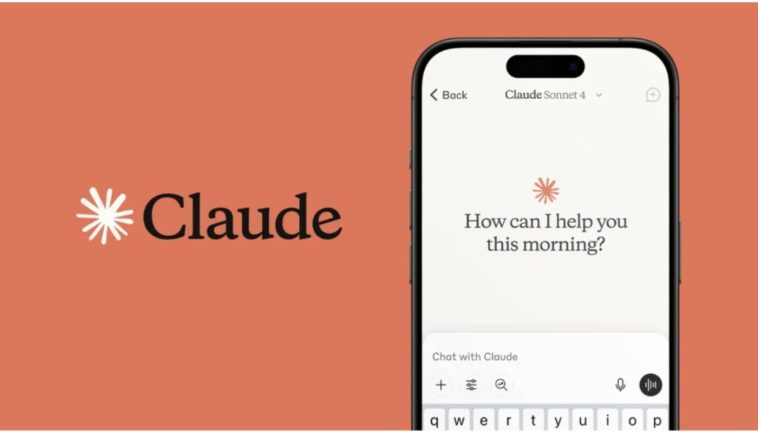
Claude AI is an advanced conversational and reasoning AI ecosystem built around Anthropic’s constitutional safety framework. It is designed to interpret complex text, code, visual data, and multi-layered mathematical logic. In 2026, its primary interface comprises a web application featuring Artifacts (dedicated workspace windows that render code, SVGs, or interactive mockups side-by-side with chat) and Claude Co-Work, a real-time collaborative workspace environment.
Key Features of Claude AI
- Artifacts Workspace: Automatically separates dynamic content (like a coded app, a complex script, or a structured essay) from the main chat flow, letting you edit and iterate on the asset interactively.
- Claude Projects: Allows users to build dedicated knowledge bases by pinning persistent files, custom instructions, and style guides to specific project folders.
- Native Computer Use API: Enables Claude’s underlying agentic models to look at a virtual screen, move a cursor, click buttons, and type text to complete complex system actions.
- Advanced Visual and Multimodal Reasoning: High-fidelity interpretation of engineering blueprints, complex charting, and financial multi-line graphs.
Also Read: Claude vs ChatGPT: Which AI Assistant Wins in 2026
Why This Tool Became Popular in 2026
While competing models raced solely toward raw parameter speed, Anthropic focused on structural alignment, emotional intelligence, and cognitive depth. Claude became incredibly popular because it treats text production with a natural human cadence, completely eschewing standard AI tells like “delve,” “testament,” or “in conclusion.”
Tool Specialty
Claude’s absolute specialty is high-context textual reasoning and multi-file code orchestration. It handles complex documents spanning hundreds of pages with unmatched accuracy, pinpointing discrepancies or synthesising arguments without losing track of nuanced constraints.
Who Can Use This Tool?
- Writers & Content Creators: For long-form editorial planning and drafting that requires an authentic voice.
- Developers: For refactoring, structural code review, and generating interactive front-end components.
- Enterprise Teams: For extracting insights from massive data pools under stringent security guardrails.
Real-World Use Cases
An enterprise legal team uploads a 400-page cross-border acquisition contract into a Claude Project along with local regulatory guidelines. Claude scans the document, flags three obscure non-compliance clauses, generates the exact modified legal text required, and visualizes the updated organizational timeline inside an interactive Artifact component.
Pros and Cons
- Pros: Highly authentic, human-like tone; robust Artifacts interface; exceptional performance on complex coding architectures; massive, stable context window.
- Cons: Free tier remains highly restrictive during peak traffic hours; lack of a native image-generation engine (strictly handles text, code, and visual input/analysis).
Pricing
- Free Plan: Access to Claude 4.6 Sonnet with standard rate limits that reset every few hours.
- Pro Plan ($20/month): 5x more usage, priority access, early features, and ability to build custom Projects.
- Team Plan ($30/user/month): Higher usage thresholds, administrative consoles, and shared project folders.
- API Tier: Flexible pay-as-you-go pricing based on input/output token usage.
Why It is Different From Competitors
Claude AI differs because it prioritizes safety-aligned, deterministic reasoning over erratic creativity. Its output matches human editorial tones far better than competitors, and its unique dual-panel UI (Artifacts) radically speeds up iterative design and development.
Best Alternatives
- ChatGPT Plus: Better for general-purpose utility and consumer-facing integrations.
- Google Gemini Advanced: Stronger for raw Google Workspace ecosystem connectivity and deep web research.
Claude AI Performance Review
- Speed: 9/10 (Highly optimized token generation speed via Sonnet architectures)
- Accuracy: 9.5/10 (Lowest hallucination rates in dense reading tasks)
- Ease of Use: 9.5/10 (Intuitive, sleek, clean UI)
- Output Quality: 10/10 (The premier model for editorial styling and clean code structure)
- Automation Capability: 8.5/10 (Powerful via Computer Use API, though requires development setup)
- Integrations: 8/10 (Excellent API documentation, growing native SaaS app integrations)
- UI/UX: 10/10 (Artifacts remains a gold-standard interface design pattern)
Honest Verdict
Claude is an absolute must-pay tool for anyone whose primary income relies on technical writing, structural editing, coding, or high-level strategic reasoning. It easily justifies its $20 price tag by serving as a highly literate, hyper-competent digital peer.
Overall Rating: 9.6 / 10
FAQs
- Does Claude train on my data?
No, Anthropic does not train its models on data submitted via user chats or the API unless you explicitly opt-in. - Can Claude create images?
No, Claude is multimodal for input (it can read images and files) but purely text- and code-oriented for output. - What are Artifacts?
They are separate visual workspaces where Claude displays content like code snippets, websites, or documents that you can edit in real-time.
Web Links
- Official Website: https://claude.ai
- X/Twitter: https://x.com/AnthropicAI
- LinkedIn: https://www.linkedin.com/company/anthropicresearch/